Vaulting Component#
Summary (For lazy folks who hate math, I see you)#
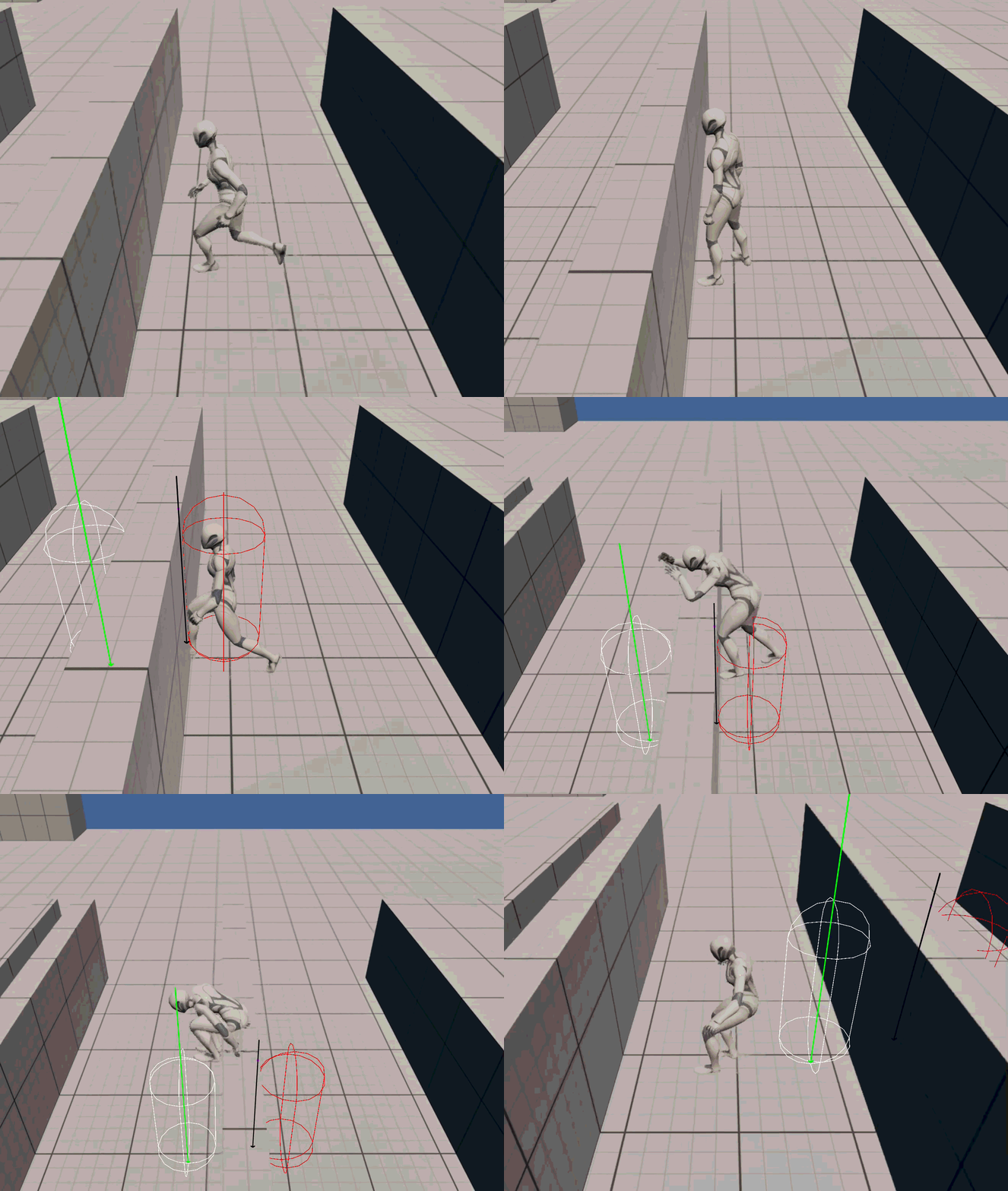
I created a modular Actor Component that can be used by anything that has a Capsule, an AnimInstance, a PlayerMovementComponent and a MotionWarpingComponent.
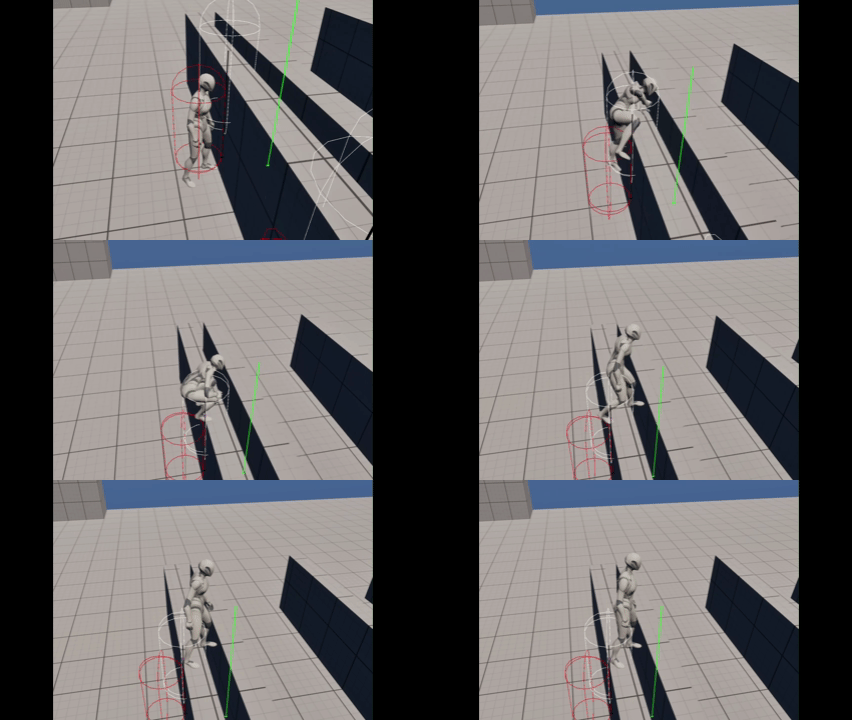
At first, when jumping, the player will try to search for a valid object to vault/mantle. If not, the player will simply jump as always.
Otherwise, it will start a lot of Capsule Sweeps and Line Traces:
- If player should mantle or vault
- The landing point of the player after the animation
- The ledge point where the player will try put their hands during the animation
And then execute the right animation at the right time. A lot of different parameters can be tuned from the VaultingComponent Editor window to let the system feel as good as possible.
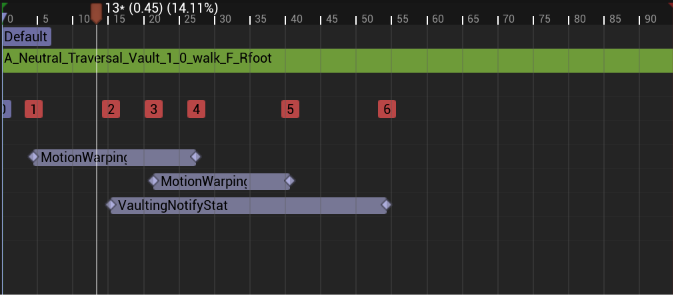
Also, Animation Montages should have 2 Motion Warping Notify States (one for Ledge Point and one for the Landing point) and my custom VaultingNotifyState.
How does VaultingNotifyState works? Well, it just give the VaultingComponent the time where certain actions will start, tick or end, to ensure a more precise animation. Everything done with simple Delegates to have an event-driven system.
Technical Breakdown#
VaultingNotifyState#
I know, this seems useless, but it is needed to create a lightweight bridge for animation-driven events!
This class inherits from UAnimNotifyState and has the only aim to tell the Vaulting Component when the notification starts, ticks and end.
… Why? Well, let just say that I needed a way to activate and deactivate collision and movement mode at the right times.
Also, for the Vaulting part, I needed a way to check periodically if the player has hit the ground without relying on the Actor Component Tick (still using Notify State, but better than nothing I guess).
VaultingComponent#
This is implemented using mainly two methods:
bool TryDetectVault(FVaultResult& OutVaultData) const;void DoVault(const FVaultResult& VaultData);
The intended operation flow is, first I try to detect if I can vault, and if yes, the system will detect all the data that DoVault will need to execute the action, and then will execute the method.
FVaultResult VaultResult;
if (VaultingComponent->TryDetectVault(VaultResult))
{
    VaultingComponent->DoVault(VaultResult);
}
… but what is this data? FVaultResult?
FVaultResult#
struct FVaultResult
{
	FVector FrontWallImpactPoint;
	FVector FrontWallNormal;
	FVector LedgePoint;
	FVector TargetLandingLocation;
	AActor* LandingActor;
	bool bShouldVault = false;
	bool bShouldMantle = false;
	bool bIsValid = false;
};
Alright I know I know, you could have seen the Git repo for this, but what is the point of this struct?
The point is that I wanted a way to pass around data for the vaulting without executing directly the vault system and without repeating calculations multiple time.
In this way, I can calculate everything in the TryDetectVault and than pass it to DoVault (but it is NOT mandatory, maybe you just want to check if possible!).
DoVault#
This method just take the VaultData and use it to play the right AnimMontage and set the two MotionWarping WarpTargets:
- LedgePoint: this WarpTarget takes VaultData.LedgePoint and apply a certain offset to it (the “depth” of the hand), so the Motion Warping can guide the character to the LedgePoint
- Landing: this WarpTarget takes VaultData.TargetLandingLocation to guide the character feet to the final position after the animation
Of course, when the animation is going to start, we need a way to disable collisions with the obstacle and to set the movement mode to Flying, otherwise gravity will do its things. This is done thanks to my VaultingNotifyState!
TryDetectVault#
This is the central part of this system, where everything is computed and stored for the rest of the system. If this fails, everything else fails (I know this from personal experience…).
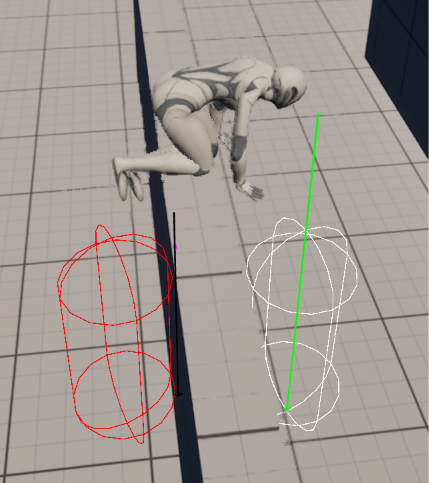
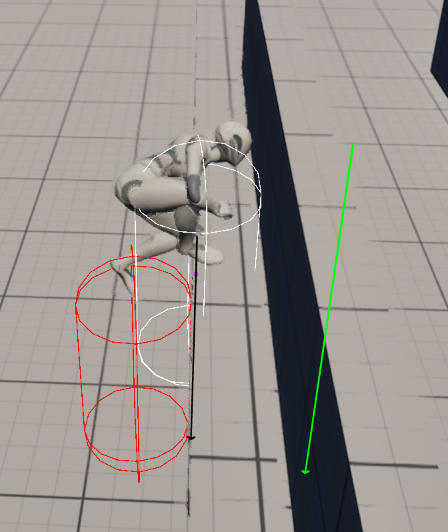
At first, it sweeps the player capsule on its forward direction and if it collides with something (RED Debug Capsule), the method goes further.
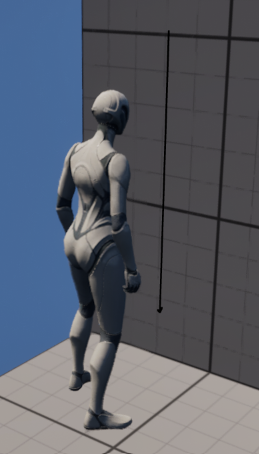
It then fires a vertical LineTrace (BLACK Debug Arrow) towards the ImpactPoint of the Capsule to search for the LedgePoint. The vertical trace starts at the maximum height that the player can vault/mantle and end at the minimum height of the vault; if it already compenetrates during the cast, then the obstacle is too high, if no hit is found, then the obstacle is too low. If it hits, then the LedgePoint (PURPLE DEBUG POINT) is found and we can proceed.
Now we know for certain that we can vault or mantle… but we need to know which of the two and where they will land at the end!
Even if it is not the best thing to do, to simplify calculations I will assume that the mantle landing location is going to be the actual LedgePoint (WHITE DEBUG CAPSULE).
Then, I “project” the mantle landing position to the forward direction of the player with a length that is the minimum space needed to do a vault. From this point, I will sweep towards the floor. If this sweep (GREEN DEBUG ARROW) start penetrating with something, it means that it is still an obstacle and then it requires a mantle. If it does not find something, it is still a mantle because it assumes that there is a void. If it found something, bingo! We have a vault, and we use the Location of the sweeped Capsule as the LandingLocation (WHITE DEBUG CAPSULE)!
Roles#
I did everything alone starting from Unreal’s Third Person Template.
Vault and Mantle animations are from the Game Animation Sample by Epic Games (but NOT the logic, which is completely made from scratch).
Software#
This game is made in Unreal Engine 5.8 and mainly done in C++, even though some things are still done in Blueprints.
It uses Unreal’s Motion Warping plugin to use animations Root Motion to calculate in which point the player should stay during the animation, using the parameters calculated at runtime by my Vaulting Component.
Source Code#
Starting from now, I will host all my single mechanics on GitHub under the same project: PulliMechanicSandbox. In this specific case, the Vaulting Component can be found in the Public and Private folders of the project.